Quick sizing and estimation of underfloor heating system: Difference between revisions
Jump to navigation
Jump to search
No edit summary |
(Zmiany na podstawie Case 195758) |
||
| Line 1: | Line 1: | ||
<!--Case 195758--> | |||
{{Article table | {{Article table | ||
|commercial_product1=InstalSystem Smart 5 | |commercial_product1=InstalSystem Smart 5 | ||
| Line 10: | Line 11: | ||
|c3 =<!--Jest kategoria -> zamienić na: "category3=" i uzupełnić link do sekcji kategorii na stronie głównej produktu--> | |c3 =<!--Jest kategoria -> zamienić na: "category3=" i uzupełnić link do sekcji kategorii na stronie głównej produktu--> | ||
|category_name3 =<!--podać nazwę kategorii "ZASTOSOWANIE"/"FUNKCJONALNOŚĆ"/...--> | |category_name3 =<!--podać nazwę kategorii "ZASTOSOWANIE"/"FUNKCJONALNOŚĆ"/...--> | ||
|version1 =[[SMART | |version1 =[[Release_notes_InstalSystem_Smart_5#Version SMART GOLD rev. 6.1|SMART Rev. 6.1]] | ||
|v2 =<!--Jest wersja -> zamienić na: "version2=" i uzupełnić link do sekcji RN danego produktu--> | |v2 =<!--Jest wersja -> zamienić na: "version2=" i uzupełnić link do sekcji RN danego produktu--> | ||
|v3 =<!--Jest wersja -> zamienić na: "version2=" i uzupełnić link do sekcji RN danego produktu--> | |v3 =<!--Jest wersja -> zamienić na: "version2=" i uzupełnić link do sekcji RN danego produktu--> | ||
|v4 =<!--Jest wersja -> zamienić na: "version2=" i uzupełnić link do sekcji RN danego produktu--> | |v4 =<!--Jest wersja -> zamienić na: "version2=" i uzupełnić link do sekcji RN danego produktu--> | ||
}} | }} | ||
==Scope of lesson== | ==Scope of lesson== | ||
The article shows how to make a fast appraisal and how to draw up a list of radiant heating system components by means of the InstalSystem SMART mobile application. | The article shows how to make a fast appraisal and how to draw up a list of radiant heating system components by means of the InstalSystem SMART mobile application. | ||
| Line 56: | Line 56: | ||
#* Pipe type and diameter | #* Pipe type and diameter | ||
#* Manifold type | #* Manifold type | ||
#* Manifold Set type | |||
#* Manifold cabinet | #* Manifold cabinet | ||
#* Control system | |||
#* Default room thermostat | |||
#* Max. working load | |||
#* Supply temperature - determined automatically or specified by user | #* Supply temperature - determined automatically or specified by user | ||
#* Default pipe spacing | #* Default pipe spacing | ||
#* Screed type | #* Screed type | ||
#* Covering.<br/>[[File:Smart-radiant-systems- | #* Covering.<br/>[[File:Smart-radiant-systems-data3.png|1050 px|left|thumb|5. Heating system data]]<br clear="all"/> | ||
===Project editing - managing storeys=== | ===Project editing - managing storeys=== | ||
| Line 68: | Line 72: | ||
===Project editing - loading underlays (base drawings)=== | ===Project editing - loading underlays (base drawings)=== | ||
* The underlays may be in the form, for instance, of graphics loaded from a gallery, or a photo from a camera.<br/>{{#ev:youtube| | * The underlays may be in the form, for instance, of graphics loaded from a gallery, or a photo from a camera.<br/>{{#ev:youtube|zTHD9hZPjQ8|900||||rel=0}} | ||
===Project editing - entering and editing room data=== | |||
<br/>{{#ev:youtube|AKvyupnu8aw|900||||rel=0}} | |||
===Project editing - entering and editing manifold data=== | |||
<br/>{{#ev:youtube|MFVjasiezoA|900||||rel=0}} | |||
===Project editing - entering | ===Project editing - entering rooms to manifolds=== | ||
<br/>{{#ev:youtube|R8Gxm82W0VE|900||||rel=0}} | |||
===Calculations and diagnostics=== | ===Calculations and diagnostics=== | ||
| Line 79: | Line 89: | ||
#* heat demand coverage in rooms, | #* heat demand coverage in rooms, | ||
#* bills of materials. | #* bills of materials. | ||
# Sending project to e-mail address.<br/>{{#ev:youtube| | # Sending project to e-mail address.<br/>{{#ev:youtube|LG_pA591tJE|900||||rel=0}} | ||
==Additional information== | ==Additional information== | ||
| Line 89: | Line 99: | ||
#Change viewing scale of drawing:<br/>[[File:Smart-function-view.png|400 px|left|thumb|7.Change viewing scale of drawing.]]<br clear="all"/> | #Change viewing scale of drawing:<br/>[[File:Smart-function-view.png|400 px|left|thumb|7.Change viewing scale of drawing.]]<br clear="all"/> | ||
#Edit component data (invoke the function and select the component):<br/>[[File:Smart-function-edition.png|400 px|left|thumb|8.Edit component data.]]<br clear="all"/> | #Edit component data (invoke the function and select the component):<br/>[[File:Smart-function-edition.png|400 px|left|thumb|8.Edit component data.]]<br clear="all"/> | ||
#Load plan of storey (from gallery or take a photo and use it as an underlay):<br/>[[File:Smart-function-source-underlay.png|400 px|left|thumb| | #Change the size of the room label\heating surface area and the distributor icon:<br/>[[File:Smart-function-resize.png|400 px|left|thumb|9.Change the label size.]]<br clear="all"/> | ||
#Remove component (invoke the function and select the component):<br/>[[File:Smart-function-delete.png|400 px|left|thumb| | #Load plan of storey (from gallery or take a photo and use it as an underlay):<br/>[[File:Smart-function-source-underlay.png|400 px|left|thumb|10.Load plan of storey.]]<br clear="all"/> | ||
#Remove component (invoke the function and select the component):<br/>[[File:Smart-function-delete.png|400 px|left|thumb|11.Remove component.]]<br clear="all"/> | |||
===Data exchange via internet=== | ===Data exchange via internet=== | ||
| Line 100: | Line 111: | ||
[[pl:Szybki dobór i zestawienie elementów instalacji ogrzewania płaszczyznowego]] | [[pl:Szybki dobór i zestawienie elementów instalacji ogrzewania płaszczyznowego]] | ||
[[bg:Smart | [[bg:Smart ?????????? - ???? ????? ?? ???????? ????????]] | ||
[[zh-cn: | [[zh-cn:???? - ????????]] | ||
[[Category:InstalSystem Smart 5]] | [[Category:InstalSystem Smart 5]] | ||
[[Category:DESIGN APPLICATION]] | [[Category:DESIGN APPLICATION]] | ||
Revision as of 14:38, 7 March 2018
| Product | InstalSystem Smart 5 |
| Type of article | DESIGN APPLICATION |
| Source for translation | SMART Rev. 6.1 |
Scope of lesson
The article shows how to make a fast appraisal and how to draw up a list of radiant heating system components by means of the InstalSystem SMART mobile application.
Modules and program configuration
- Instalsystem Smart application - Quick selection and listing of system components
- Mobile device: a smartphone or a tablet.
- Internet connection.
For more information, see: [[{{{link}}}]] Technical specifications of InstalSystem Smart 5
Steps to perform
Preparing the working environment
- Download the application.
InstalSystem Smart can be obtained upon contacting InstalSoft s.c. at: info@instalsoft.com.pl.
The test version can be obtained through:- a link to the installation file in case of Android devices. The file should then be moved to the internal memory of the device and installed at the operating system interface level,
- an e-mail with an invitation to closed TestFlight tests in case of iOS devices. The invitation is sent to the e-mail address linked to the obligatory user's account on AppStore which enables installation of the application at the AppStore interface.
- Install the application on the mobile device.
- Launch the application.
- Enter the user's data:
- First name
- Surname
- E-mail address to which project files will be sent
- Company
- Address (Street)
- Zip (postal) code
- City
- Telephone.
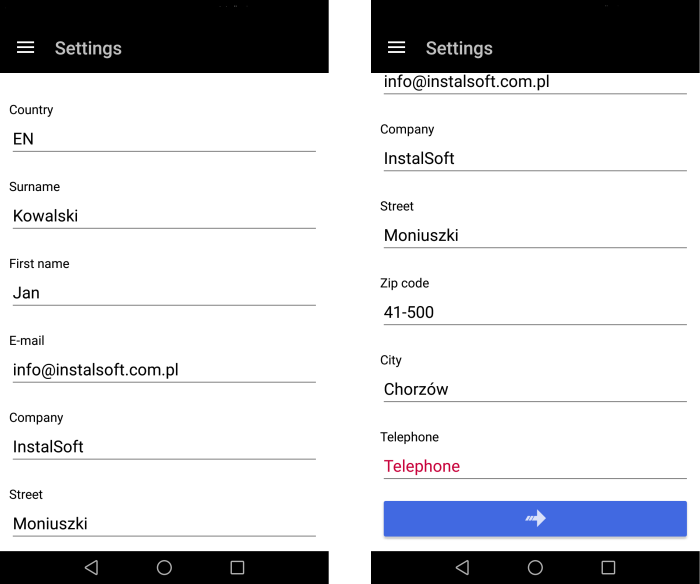
1. Settings

Start page
- Open new project.
- Open existing project.
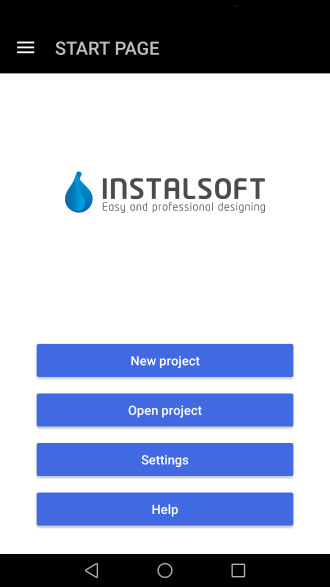
2. Start page

Specifying project default data
- Enter project data:
- Project name
- Customer's e-mail and additional e-mails, if any.
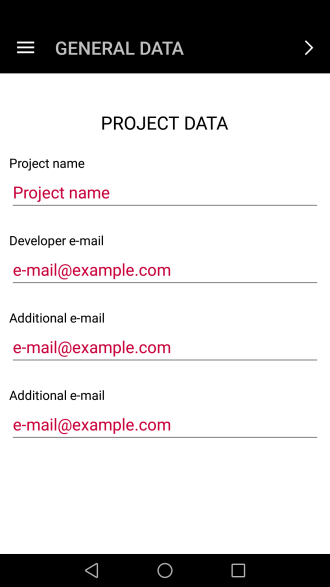
3. Project data
- Enter building data:
- Building location
- Heat loss coefficient.
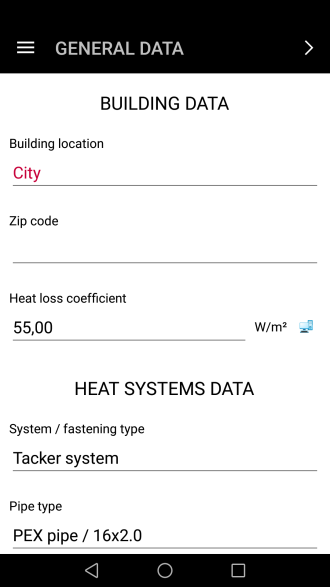
4. Building data
- Enter heating system data:
- Fastening system
- Pipe type and diameter
- Manifold type
- Manifold Set type
- Manifold cabinet
- Control system
- Default room thermostat
- Max. working load
- Supply temperature - determined automatically or specified by user
- Default pipe spacing
- Screed type
- Covering.
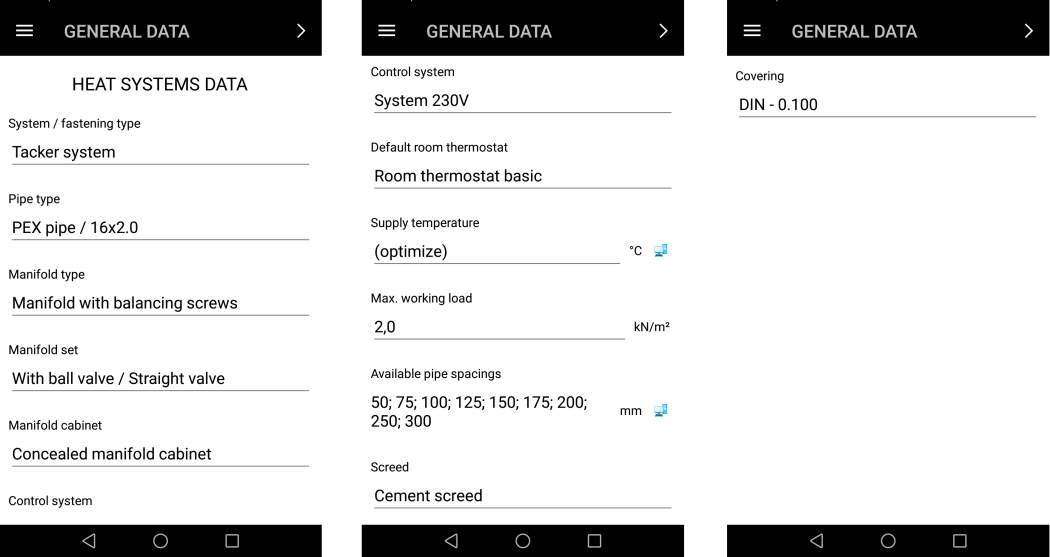
5. Heating system data


Project editing - managing storeys
- Add the required storeys.
- Enter storey data.
- Enter building surroundings data.
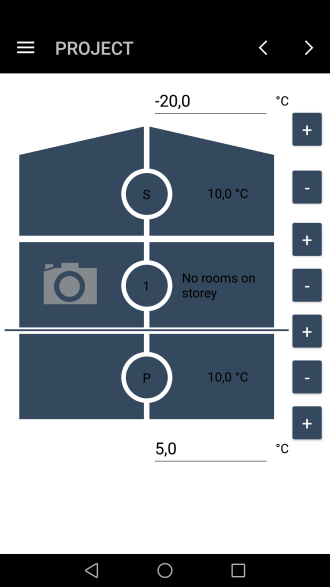
6. Managing storeys

Project editing - loading underlays (base drawings)
- The underlays may be in the form, for instance, of graphics loaded from a gallery, or a photo from a camera.
Project editing - entering and editing room data
Project editing - entering and editing manifold data
Project editing - entering rooms to manifolds
Calculations and diagnostics
- Launch calculations.
- Verify diagnostic messages.
- Verify calculation results, in particular:
- heat demand coverage in rooms,
- bills of materials.
- Sending project to e-mail address.
Additional information
Continuation of the design in the InstalSystem 5
Result of calculation in the InstalSystem Smart 5 can be continued in the InstalSystem 5.
For more information, see: [[{{{link}}}]] Designing on the basis of data from the Smart application
Other functions
- Change viewing scale of drawing:

7.Change viewing scale of drawing. - Edit component data (invoke the function and select the component):

8.Edit component data. - Change the size of the room label\heating surface area and the distributor icon:

9.Change the label size. - Load plan of storey (from gallery or take a photo and use it as an underlay):

10.Load plan of storey. - Remove component (invoke the function and select the component):

11.Remove component.


Data exchange via internet
- STEP: Launch application and complete user profile.
No data is exchanged with the server and internet connection is not used. - STEP: New project execution.
Data exchange is low and the type and speed of the connection is not meaningful. - STEP: Project editing (general).
No data is exchanged with the server and internet connection is not used. - STEP: Calculations.
Data exchange is high. - STEP: Sending project data to an e-mail.
Data exchange is high.